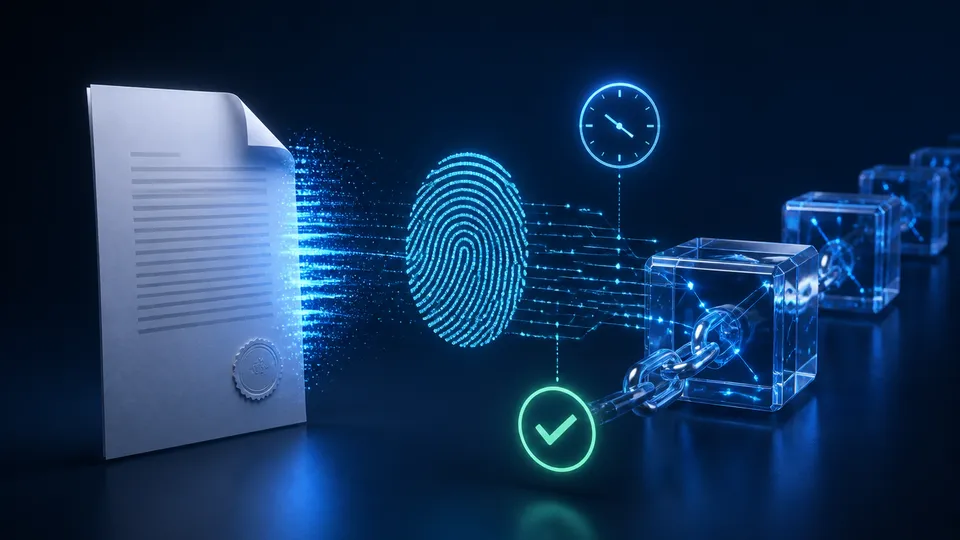
How to check whether a PDF was modified: integrity, signatures and versions
How to check a PDF against an official copy using hashes, signatures and revisions before attributing a difference to manipulation.
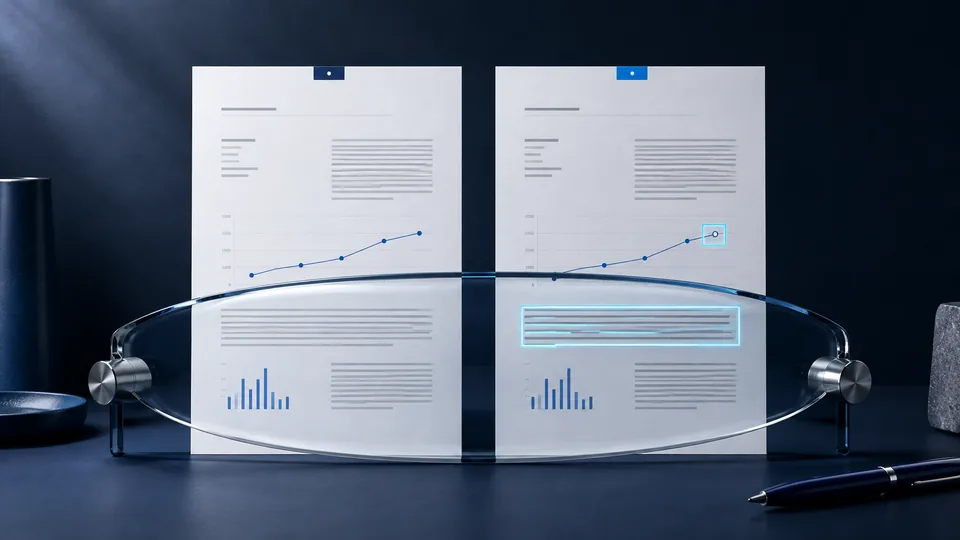
To check whether a PDF has been modified, first choose the right comparison. Do you want to know whether the file is identical to an official copy, whether a signature covers the version you are reading, or which parts of the document changed? These are three different questions.
A PDF that opens correctly is not necessarily the expected file. Two documents that look identical can contain different bytes. This guide offers a practical way to check the source of the copy, its integrity, and its version without confusing those checks with a judgment about its content.
Why the name, date, and page count are not enough
The name final-report.pdf is a label, not proof. Two files can share a name and page count while containing different data. They may even have the same size without being identical.
The date shown in a folder may refer to the download or local copy. Export software can also update internal information without changing the readable text. Do not use a single file attribute to decide that a version is the approved one.
Start with a verifiable question: “Does the document downloaded today match the version that the issuer identifies as current?” You need both the file and a trusted reference to the expected version.
Choose the check that fits the question
| Objective | Useful check | Limitation |
|---|---|---|
| Compare two exact copies | Hashes calculated with the same algorithm | A match does not establish that the text is accurate |
| Verify a signed PDF | Validate the signature and read its scope | The visual appearance of a signature is not enough |
| Understand which content changed | Compare versions and review their differences | A visual comparison may not examine all internal data |
| Link a file to an external record | Check the fingerprint and available proof | The record does not replace storage of the file |
Using several checks can be appropriate as long as you explain what each adds. Running many checks and then summarizing them with a generic word such as “certified” is not useful.
Compare the PDF with a trusted fingerprint
When the issuer publishes the hash of the official version, you can calculate the hash of the downloaded file and compare the full sequence. The SHA-256 guide provides commands for Windows, macOS, and Linux.
The reference must be trustworthy and refer to the same object. The hash of a ZIP archive is not the hash of the PDF inside it. The fingerprint of an embedded image does not describe the whole document. Exporting the report again may require a new hash even when you see no change in the text.
If the fingerprints differ, you know that the bytes do not match the reference. To understand why, ask whether a revision was published or the file was converted. Do not automatically attribute the difference to intentional manipulation.
Check a PDF with a digital signature
A visible signature on the page may be only an image. A technical check requires a reader that supports validation of document signatures and displays the results.
In Acrobat, Adobe's validation documentation instructs users to examine the signatures panel and verification details. Do not stop at the icon: consider the certificate, reported status, and version covered by the signature.
If later revisions exist, compare the signed version with the current one. Adobe also documents how to compare versions of a signed document. Interpretation depends on the checks and allowed changes; warnings do not all mean the same thing.
This guide concerns a technical check of the file. It does not assign legal value to the document or signature, which would require a separate analysis.
Why a PDF can change without visible differences
Exporting the document again, adding internal information, or performing optical character recognition can alter its bytes. An OCR-processed scan, for example, may gain a text layer without changing what people see in a noticeable way.
Image reduction and recompression can also create a different copy. To verify file identity, check the received version before modifying it with optimization tools or “printing” it to PDF again.
Comparing pages is useful for finding readable differences, but it does not replace a cryptographic comparison when the question concerns the exact byte sequence. Likewise, two different hashes do not reveal which words changed; that requires reviewing the content.
Example: a report corrected after publication
Imagine a business report with a corrected table. The updated version is uploaded at the same download URL. Anyone who downloaded the file before the correction still has a different copy, even if both are named report.pdf.
A clear process distinguishes the versions, publishes a correction notice, and links each to its own reference. If there is a blockchain notarization, the old proof still refers to the old fingerprint; it does not automatically extend to the corrected report.
Readers should be able to identify the current version without understanding the entire technical system. A revision identifier and plain correction note are as valuable as the fingerprint check. Explore a business-document example in the SCE demo.
Checklist for distributing verifiable PDFs
Before release, approve and export the final version. Run the checks on the copy intended for download and retain the exact file associated with the proof.
- Publish a clear reference to the version and its source.
- Distinguish the document date, publication date, and proof information.
- Check the file downloaded from the website, not only the one in the internal folder.
- Do not overwrite a revision without explaining the change.
- Keep the copies needed to compare updates.
- Make incomplete outcomes readable instead of presenting them as successful verifications.
To add these steps to your website, explore the CMS/API workflow or learn how to organize a verifiable digital press kit.
Frequently asked questions
Can I verify a PDF without a reference copy?
You can inspect available signatures and look for an official source, but you cannot prove identity against an unknown version. State the limitation when the reference is missing.
Does converting a scan to PDF recover proof from the original?
No. It creates a new file. The document image may help people read it, but it does not automatically preserve the cryptographic properties of the original digital copy.
Does an intact PDF necessarily contain true information?
No. Integrity means correspondence with a reference or defined check. Assessing the accuracy of its claims requires examining the substance of the document.
Sources and further reading
Technical and editorial references consulted for this guide. Examples are illustrative and do not document real cases or specific integrations.