Content Credentials: what they are and how to read them
A practical guide to Content Credentials, including signatures, edits, ingredients and verification status, plus what missing credentials mean.
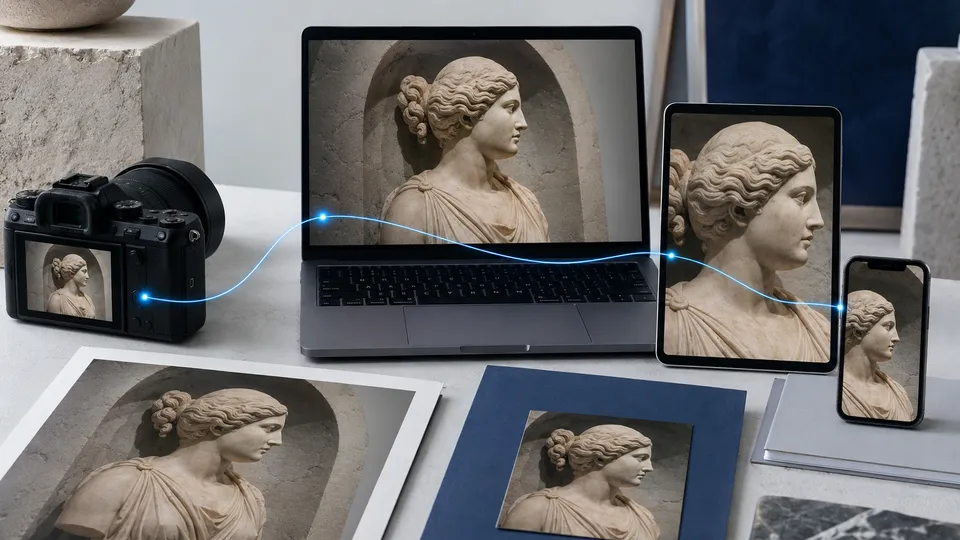
A credential is more than a label
Content Credentials are provenance information linked to digital content under the C2PA standard. They can describe the creation of an asset, some modifications, and references to other content used in it. The information is structured so compatible tools can verify it, rather than merely display it as text.
A “cr” badge or verification button is therefore an entry point, not the proof itself. Anyone could draw a similar icon. What matters is what happens when verification opens: which file is analyzed, which manifest is read, and which checks have been completed.
For the broader picture, the guide to C2PA explains how assets, manifests, and signatures connect. Here we focus on reading the results.
First check: are you examining the right file?
An image displayed in a browser, the original file received by email, and a copy downloaded from a social network may be different versions. Compression, resizing, and screenshots can change both the file content and the information available.
Before interpreting a credential, record where the file came from and which version you are examining. If a badge opens an external page, check that the reference actually matches the asset on the page. A link to existing proof does not, by itself, show that the copy in front of you is the same one.
For a practical test, you can use the SCE C2PA verifier with a file whose path you know. Compare the result before and after the file passes through a publishing channel.
What to read, in order
Credentials do not all contain the same information, and interfaces may present them differently. This order is useful:
- Content check result: is the file consistent with the credential's cryptographic binding?
- Signature and trust: is the signed data valid? Is the certificate recognized under the verifier's criteria?
- Declared actions: which creation, export, or editing steps are documented?
- Ingredients: are there references to assets used in the composition?
- Dates and context: what event does each date refer to? What information is missing?
A date declared in metadata should not automatically be interpreted as a trusted timestamp. Likewise, the name shown for the signer should not be assumed to be the verified identity of the person who took the photograph. The C2PA specification separates roles and checks precisely to avoid these overlaps.
Example: from photograph to editorial crop
Imagine a photo of a company event. The file is captured, an editor corrects the brightness, and then prepares a crop for the website. A well-maintained provenance history can make these operations readable and connect the published version to the source image.
This does not make the crop “less authentic” by definition. The useful question is whether the processing is declared and the result is presented accurately. A crop may be technically consistent with the credential while excluding something essential to understanding the scene. Editorial review is still necessary.
Another example is a composition that uses two images. Ingredients help show that source content exists; they do not guarantee that its complete history is available. When a reference cannot be accessed, state that limitation instead of reconstructing provenance through guesswork.
What “no credentials found” means
It means that the tool did not find a usable credential under the conditions of that check. It does not mean “fake image,” “AI-generated image,” or “author completely unknown.” The result concerns the data that is available.
| Situation | Careful interpretation |
|---|---|
| No manifest available | No usable C2PA data is available for this check. |
| Verifiable signature, trust not established | Some technical checks may pass without recognition under the chosen trust model. |
| Invalid content binding | The examined copy does not pass that check; investigate which step changed it. |
| Partial history | Some events or ingredients are unavailable: do not invent the missing steps. |
Metadata can be lost in distribution workflows. Credential recovery mechanisms also exist, but their availability depends on the implementation: no one should promise that every screenshot or copy can always be traced back to the original.
A checklist for publishers
The team should verify the content actually served to users, not only the file in the internal archive. Check the original asset, the version optimized by the CMS, and the version returned by the CDN. If there are several resolutions, include them in testing.
The public page should distinguish the result, declared origin, version, and limits of the verification. When an article is corrected, the badge must not continue to present an older version as current without explaining it. A good system makes differences visible instead of hiding them behind a generic green color.
To bring these checks into your website, read the CMS/API integration guide and explore SCE solutions for Content Credentials.
Frequently asked questions
If the file returns no usable information, follow the Content Credentials not found troubleshooting guide. For ordinary photo data, read the guide to EXIF metadata.
Are Content Credentials and copyright the same thing?
No. Provenance and technical verification do not grant permission to use content. Rights and licenses must be checked separately before republishing it.
Are credentials a DRM system?
No. They make provenance information available; they do not prevent access to or copying of the content.
Can I verify a file that has no C2PA data?
You can look for other evidence: the original source, context, and documentary comparisons. The absence of C2PA does not end the verification, but it removes one possible source of evidence.
Sources and further reading
Technical and editorial references consulted for this guide. Examples are illustrative and do not document real cases or specific integrations.